Lead ROI for every industry
Track your leads. Talk to buyers. Know your ROI.
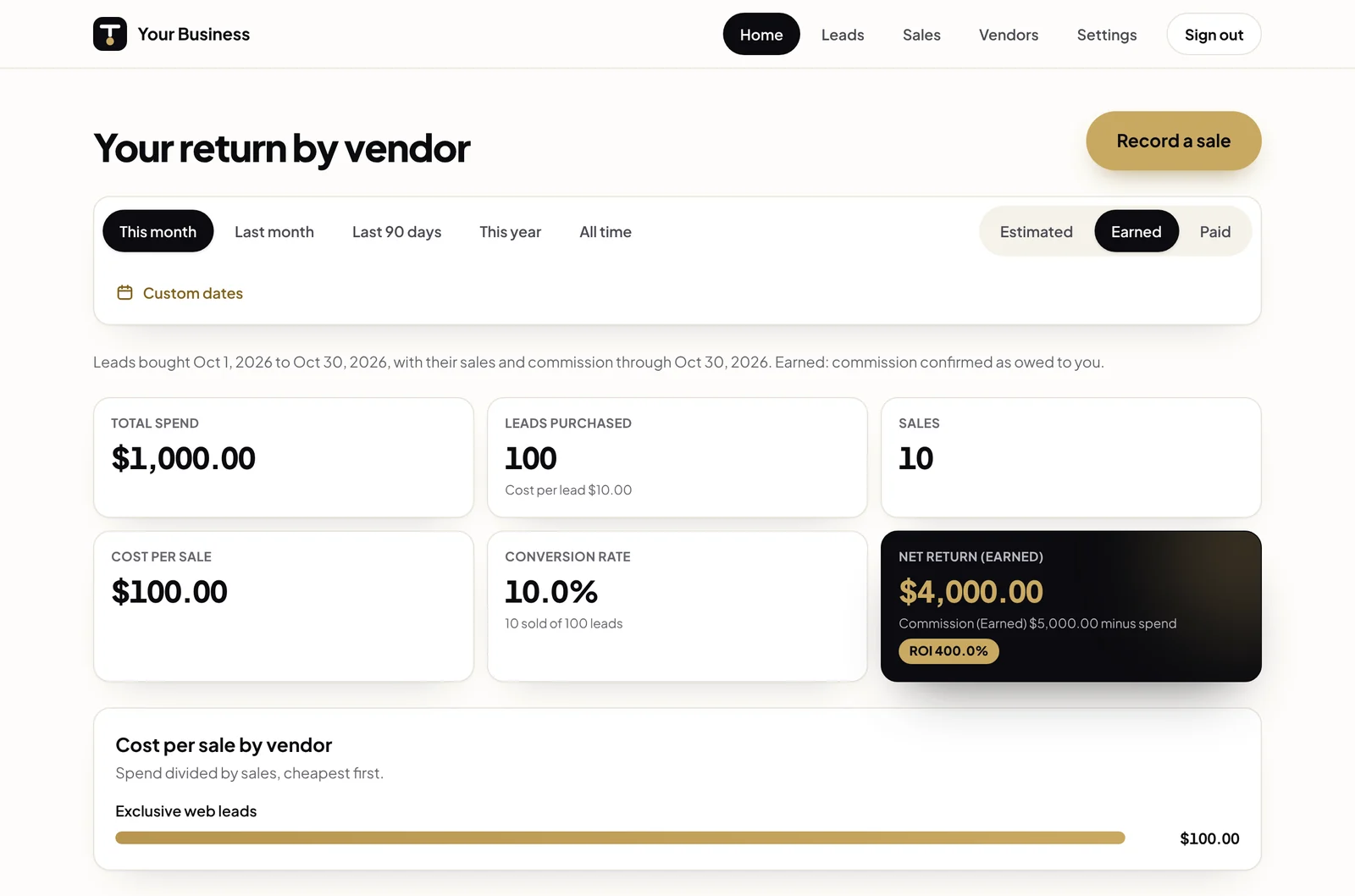
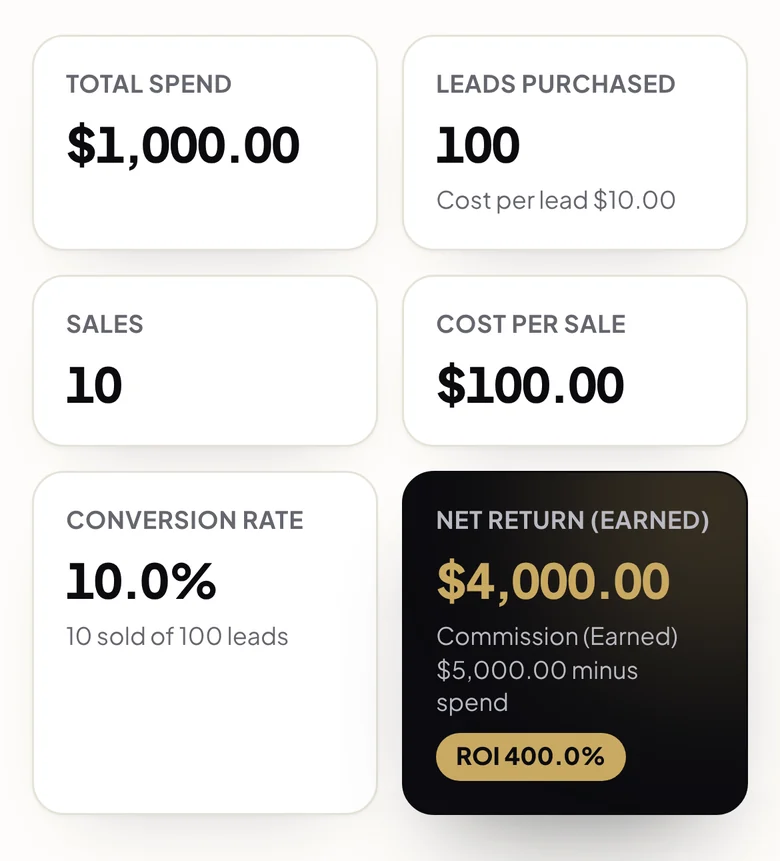
TracTok Pay shows you what you’re spending on leads, what you’re earning from sales, and which vendors deliver the best return. Stop guessing where your next dollar should go.
- 14-day free trial, no card
- Works on your phone
- Imports CSV and Excel
- Not another CRM
Made for any business that buys leads
- Insurance
- Mortgage
- Real estate
- Automotive
- Solar
- Home services
- Contractors
- and yours
The problem
You spend thousands on leads. Which vendor actually paid you back?
- 01
Spreadsheets fall behind
Purchases in one place, sales in another, what each sale earned somewhere else. By the time you add it up, you have already bought the next batch.
- 02
Vendors grade their own homework
Every vendor says their leads convert. Without your own numbers, there is no way to tell who is right.
- 03
Chargebacks hide the truth
A great month can quietly turn into a loss when deals cancel and money is taken back. Most tracking never nets it out.
How it works
Three steps. No CRM to learn.
- 1
Upload your leads
Drop in the CSV or Excel file your vendor sends and enter what you paid. Match the columns once per vendor; duplicates are caught before anything is saved.
- 2
Record your sales
When a lead buys, find them and tap Mark sold. Add what the sale earns when you know it, then again when it is earned and paid.
- 3
Know your ROI
See cost per lead, cost per sale, conversion, net return and ROI for every vendor and every purchase, for any dates you choose.
Side by side
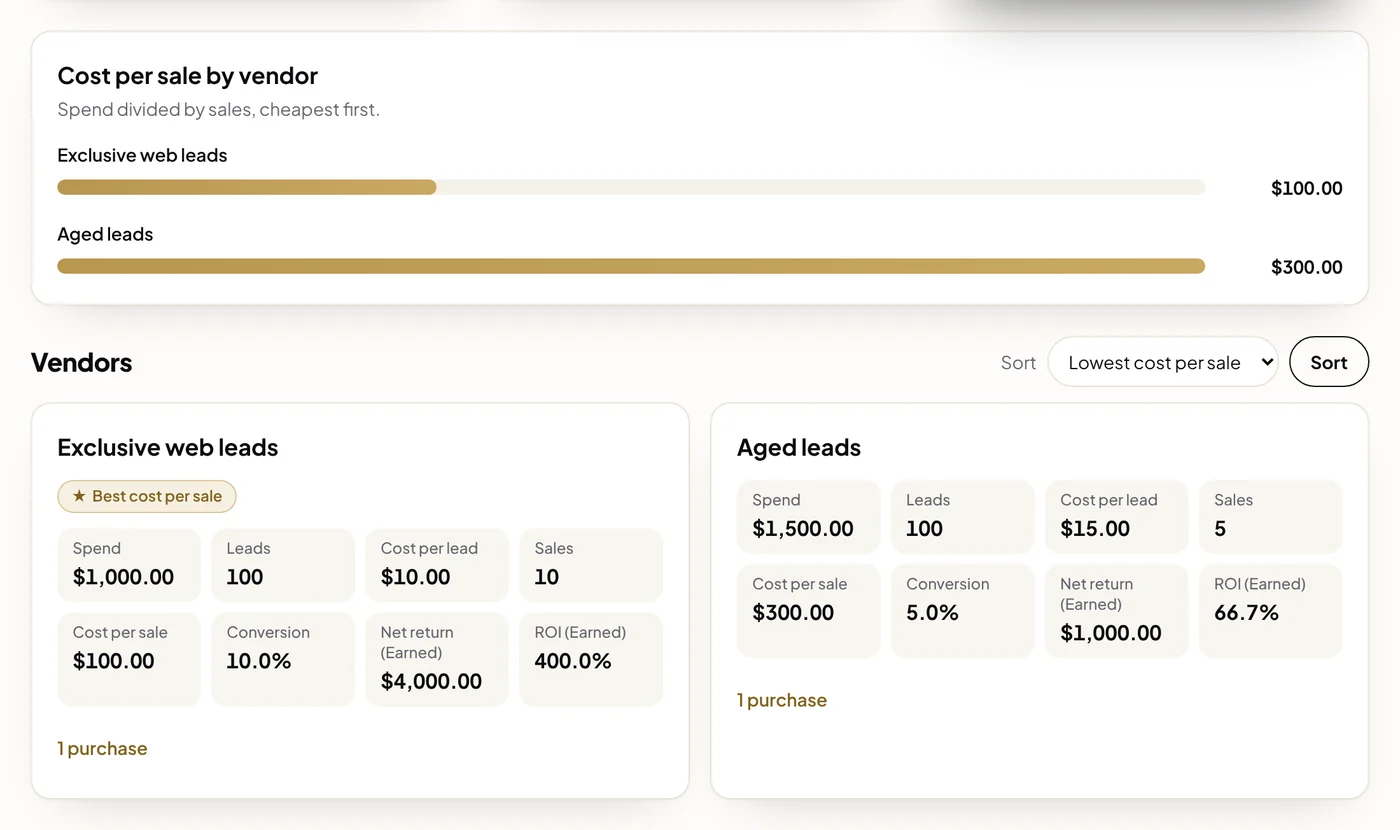
Every vendor on one scoreboard.
Sort by lowest cost per sale, highest return, most sales or best conversion. The cheapest vendor per sale earns the Best badge once it has enough sales to trust.
Features
Built for the way you actually buy leads.
Fast, forgiving imports
CSV or Excel in any column order. TracTok Pay remembers each vendor's columns and flags duplicates before they count twice.
Earnings three ways
Switch between Estimated, Earned and Paid to see what you expect, what you are owed and what has reached the bank. Call it commission, revenue or gross profit.
Chargebacks handled
Record a chargeback and what you pay back. Your return changes on the right date, so a cancelled deal never hides.
Subscriptions, refunds and credits
Monthly lead subscriptions, refunds on a purchase and vendor credits all land in the right vendor's cost.
Every purchase, its own result
Open a vendor to see each purchase on its own, so you know which batch worked and which one did not.
Numbers that add up
Every report is checked before it is shown. If the totals do not reconcile, you see a warning instead of a wrong number.
Pricing
One plan. Everything included.
$29a month, for your whole account
- 14-day free trial. No credit card to start.
- Every feature: imports, sales, the dashboard and downloads.
- Cancel any time. You keep access until the end of the month you paid for.
- Your data stays yours: download or delete it whenever you like.
Payments are handled by Stripe. Prices in US dollars; sales tax may apply where required.
Questions
Straight answers.
How much does TracTok Pay cost?
$29 a month for your whole account, after a 14-day free trial. No credit card is needed to start. There is one plan with everything included, and you can cancel any time.
What happens when my trial ends or I cancel?
Nothing is deleted. A cancelled subscription keeps working until the end of the month you paid for. After that, or when a trial ends without a subscription, your account becomes read-only: you can still see your numbers, download your data and delete your account, and subscribing again picks up where you left off.
Does it work for my industry?
Yes. If you buy leads and close sales, TracTok Pay works for you: insurance, mortgage, real estate, automotive, solar, home services and more. Call what a sale earns commission, revenue, gross profit or earnings, in your own currency.
Is TracTok Pay a CRM?
No. Keep working your leads wherever you do today. TracTok Pay is your scoreboard: upload what you buy, mark what sells and see what it returned.
What files can I import?
CSV and Excel files, the formats lead vendors usually send. Match the columns once and TracTok Pay can remember them for that vendor.
Which vendor gets the credit for a sale?
Each sale is credited to one lead: the customer's most recent purchase from a vendor within your credit window (90 days unless you change it). The Owner can move the credit, with a reason that is kept.
What do Estimated, Earned and Paid mean?
Estimated is what you expect a sale to earn, Earned is what you are confirmed to be owed, and Paid is what has actually reached you. Switch between them on the dashboard.
Is my data private?
Yes. Each account's data is kept apart at the database level, and you can add two-step sign-in with an authenticator app whenever you want it.
Does it work on my phone?
Yes. TracTok Pay is built phone first, so you can mark a sale from the parking lot and check a vendor's numbers before you renew.
Find out which vendor is really paying you.
Upload your first purchase today. Your numbers are ready as soon as you mark a sale. Free for 14 days, no card needed.